The Peek guide
Apple Watch presentation timer with silent pacing taps
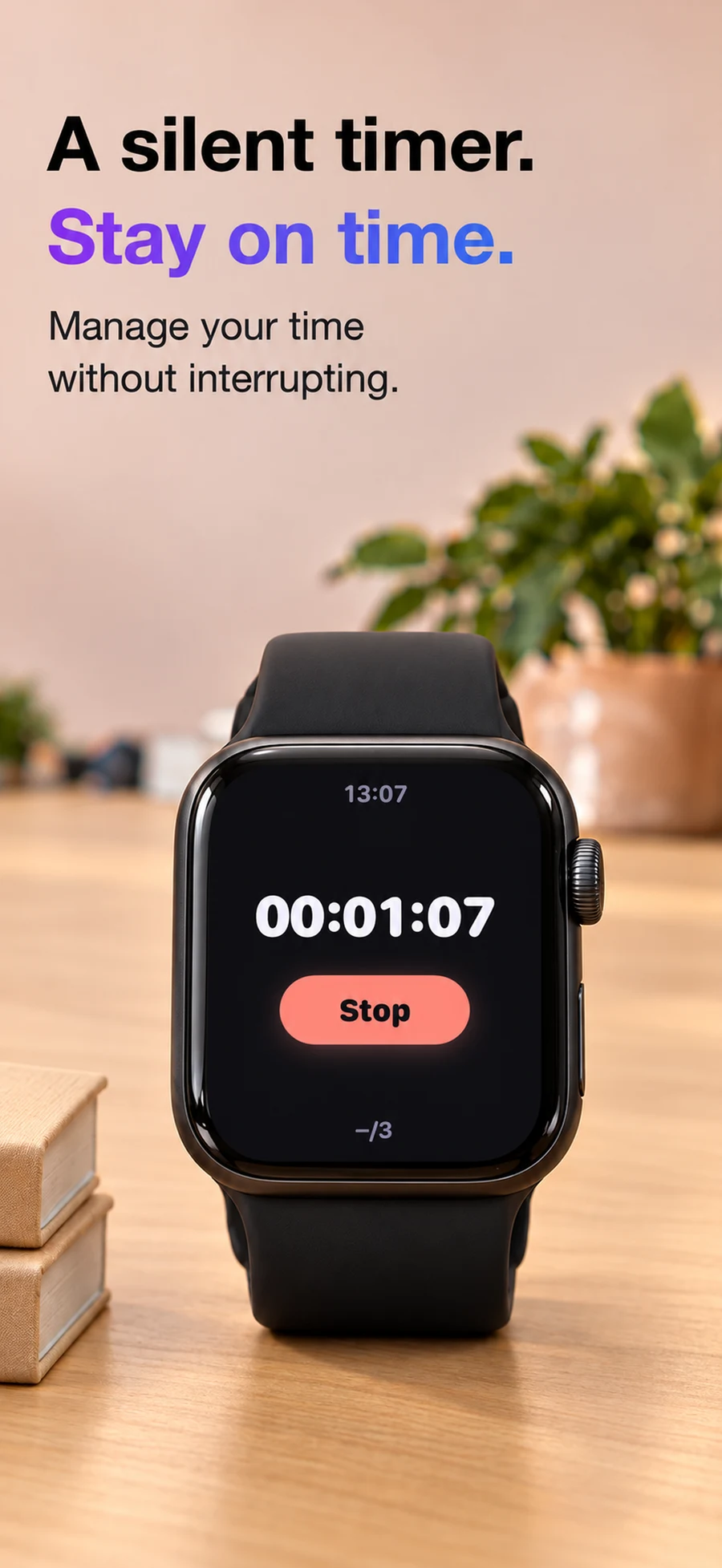
Peek offers a timer and optional pacing taps at a chosen interval. Use those taps as reminders to check your pace during a presentation. They do not measure how much of your speech you have completed.
Plan checkpoints before choosing an interval
Mark where you want to be after the opening, after the main evidence and before the close. Then rehearse aloud with a timer to see whether the outline fits.
For example, in a five-minute talk, you might aim to finish the opening near one minute, start the last main point near three minutes and leave the final minute for the conclusion. Adapt those checkpoints to the talk.
Know what to cut if time runs short
Choose a pacing interval in Peek and learn how it feels before your talk. At a tap, notice whether you are ahead or behind your planned checkpoint. If time is short, skip an optional example rather than rushing every sentence.
Peek’s timer continues while the screen is dark. Test the full rehearsal on your own devices and settings before relying on the taps in a live setting.
Keep your time plan separate from your cues
A useful cue might say “Last example optional — protect closing minute.” That gives you a decision to make when the timer reminds you.
Pacing taps are included with the free short note. Plus is useful if you need multiple notes or the additional gesture and Watch memory options. Consult the App Store for current plans.
Questions
Are pacing taps a guarantee I will finish on time?
No. They mark time at your chosen interval. Rehearsal and decisions about what to shorten determine whether the talk fits.
Can I try the timer without Plus?
Yes. Peek’s free offering includes one short note, tilt-to-read gestures and pacing taps.