The Peek guide
Peek vs Cheatsheet Notes: speaking cues or quick reference?
Choose Peek if your main task is revealing a brief cue while speaking. Cheatsheet Notes may suit you better if you want everyday snippets in widgets and Watch complications. Choose the way of checking a note that fits your day.
How you check a note
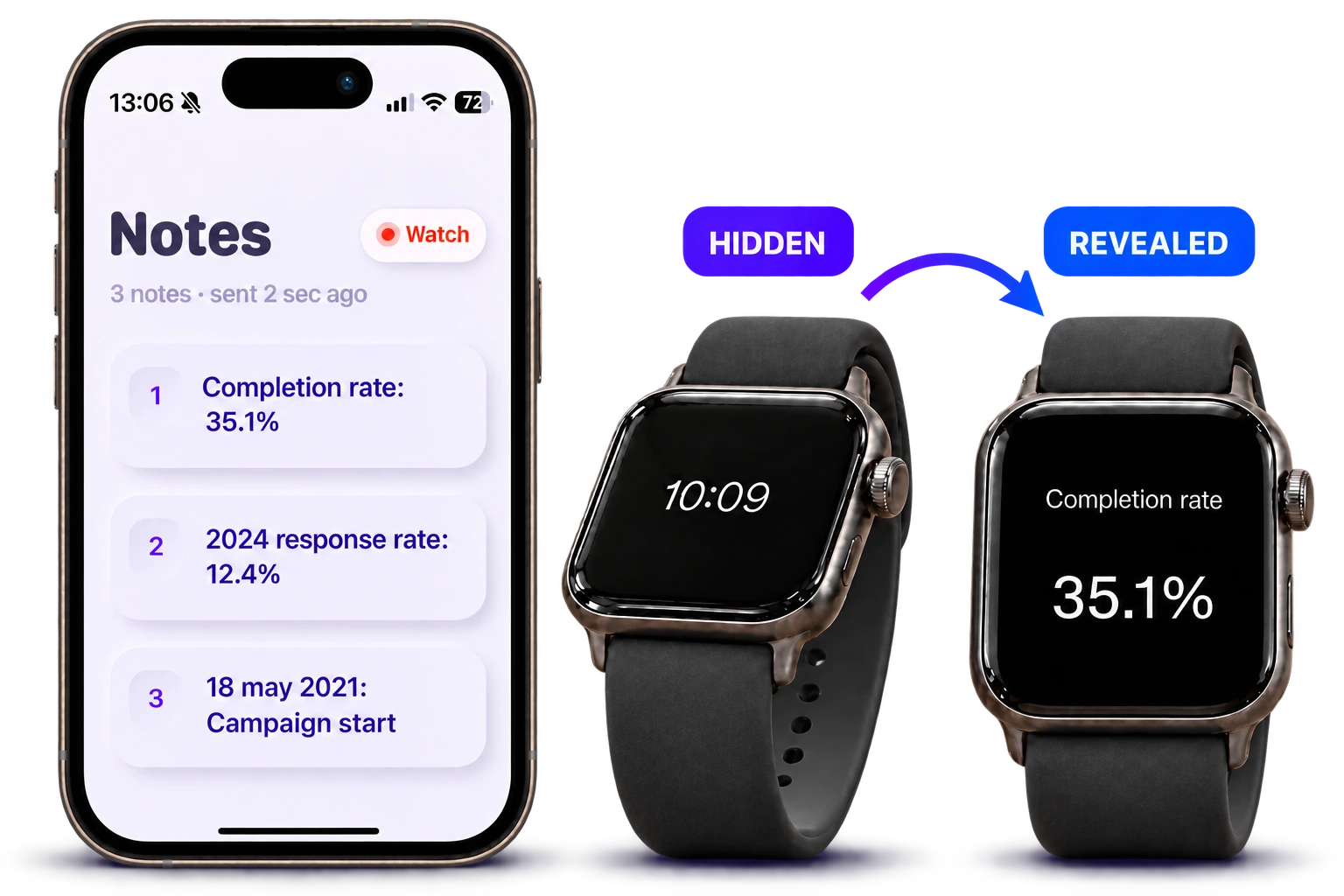
With Peek, you write on iPhone, send to your watch and tilt to reveal a cue. A timer and optional pacing taps help you keep track of time.
Cheatsheet’s product page focuses on memorable snippets, icons, widgets, Watch complications and iCloud sync. That can fit frequently checked details throughout the day.
Choose for your next presentation
If you only need an opening phrase or a key figure, try Peek’s free short note during rehearsal. Use Plus if you need multiple notes. If you want the same reference in phone widgets and on a watch face, review Cheatsheet’s current features and purchase terms.
| Option / topic | Workflow | Use case / detail |
|---|---|---|
| Primary use | Peek: speaking cues on the wrist | Cheatsheet: everyday quick-reference snippets |
| Access | Peek: double-tap screen, tilt and level wrist | Cheatsheet: widgets, Watch app and complications |
| Preparation | Peek: write on iPhone and send to watch | Cheatsheet: notes synchronized using iCloud |
| During a talk | Peek: timer and optional pacing taps | Cheatsheet: choose it for the reference features you need |
Avoid choosing by the word “cheat sheet” alone
The same phrase can describe a talk outline, a sticky note or a list of everyday details. Decide whether you need a quick prompt while speaking or a reference you’ll check throughout the day.
Peek requires iPhone with iOS 18 or later and a paired Apple Watch with watchOS 11 or later. Check Cheatsheet’s current compatibility on its support page before downloading.
Questions
Does this comparison mean Cheatsheet is unsuitable for speeches?
No. You can use reference notes in different settings. Peek focuses on a reveal-and-hide speaking workflow, while Cheatsheet describes a broader quick-reference system.
Which one is cheaper?
Prices and plans vary by region and can change. Check each app’s current App Store listing. Peek includes one short note free and optional Plus purchases.